Image Processor
Optimize, convert, and transform images on demand, reducing file size and accelerating load times.
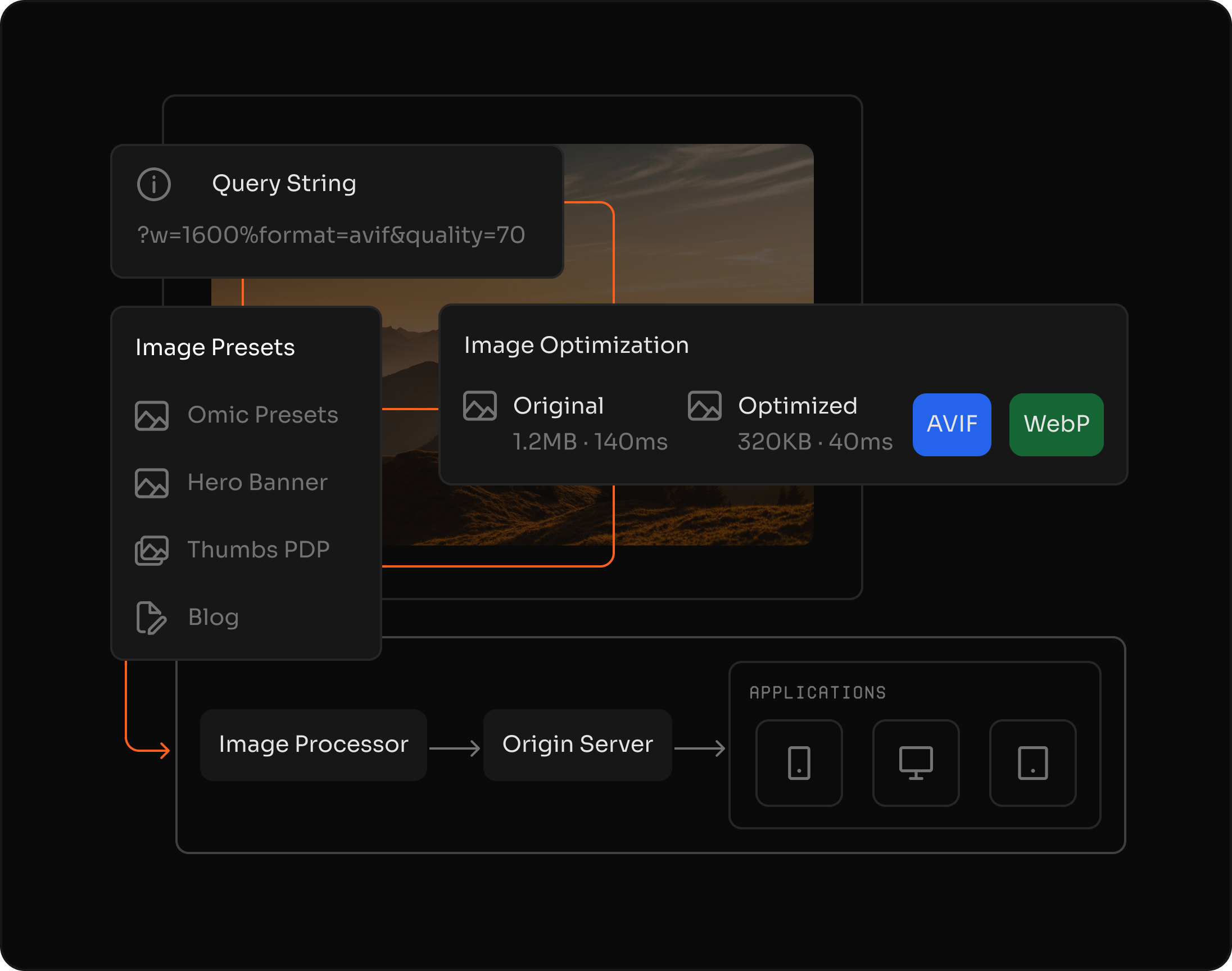
smaller file sizes with automatic optimization
image formats including WebP and AVIF
faster page loads with optimized images
Reduce image size
Compress images and lower file weight without noticeable quality loss, improving load times for media-rich pages.
Deliver the optimal format automatically
Convert images to WebP, AVIF, or fallback formats based on browser support with no pipelines or manual versioning required.
Transform images on demand
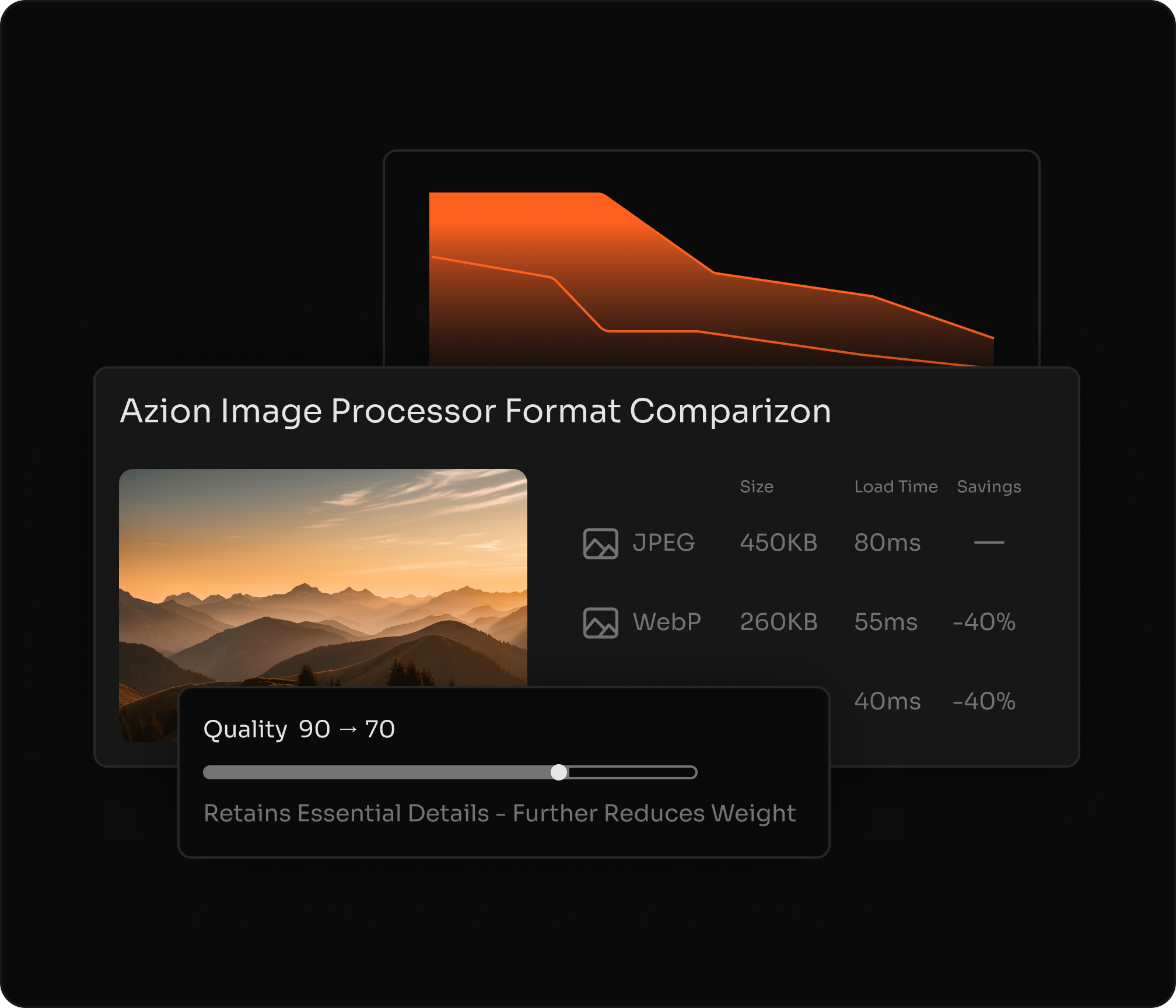
Modify the image and its properties without any perceptible loss of visual quality for the user.


"We really like the platform due to its ease of use. Azion's platform provides us with essential caching capabilities to accelerate content delivery. Using Image Processor, we reduced on average more than 40% of the size of our image files without compromising the visual quality."
Bruno Guidone
Head of DevOps at Mobiauto
Dynamic, on-demand image transformations
Perform dynamic image transformations on demand via URL, adapting dimensions, aspect ratio and quality to each context—such as browser, screen size or network conditions.
Resize on-demand Quality control Format conversion URL-based API
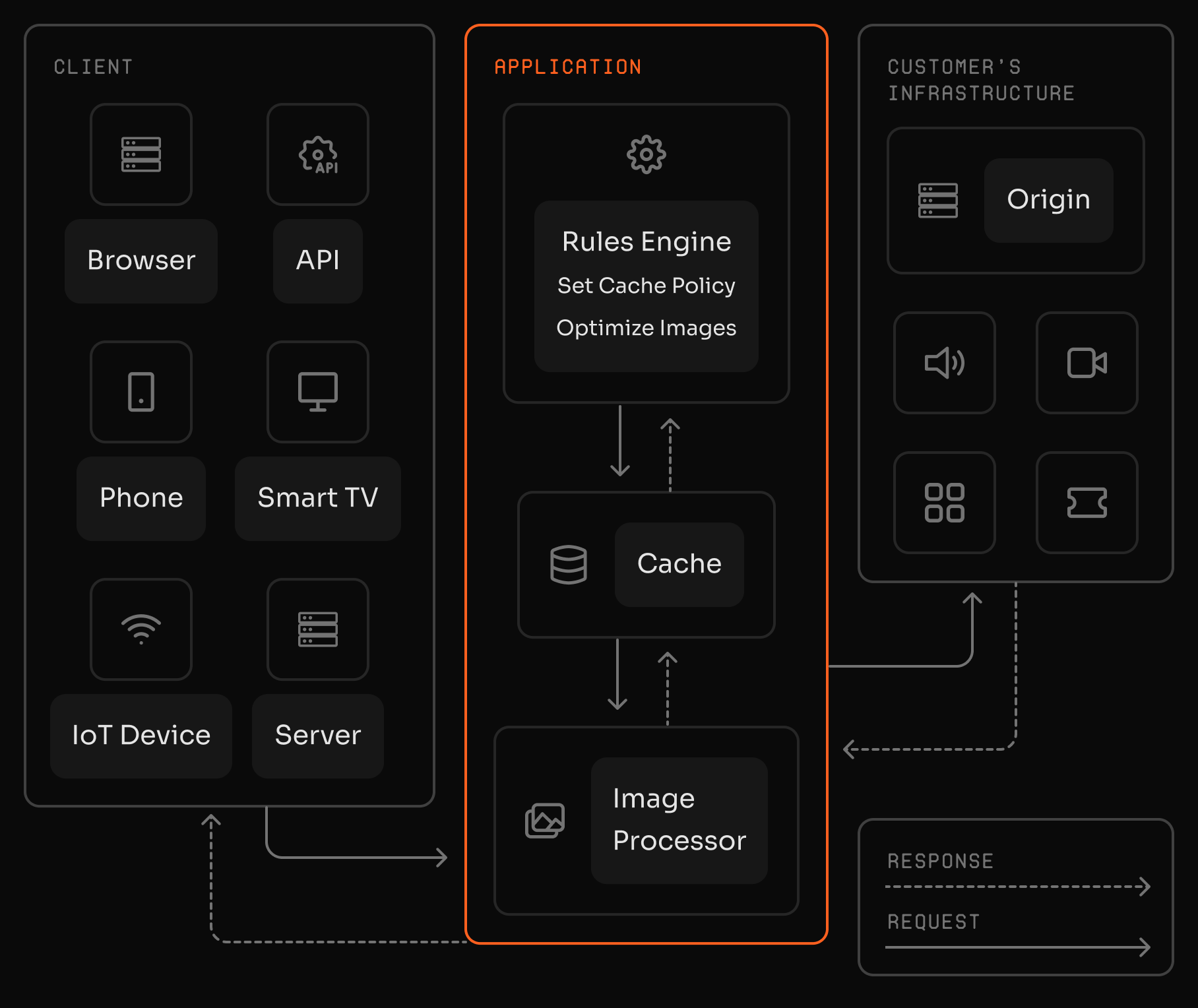
Multi-format optimization and quality preservation
Automatically adjust format, resolution, and quality based on browser and device while preserving visual fidelity and minimizing file size.
WebP & AVIF Visual quality Device-aware Smart compression
See how to use
Frequently Asked Questions
What is Image Processor?
Azion Image Processor is a real-time image optimization service. Key features include: automatic WebP/AVIF conversion, on-the-fly resizing and compression, URL-based transformations, support for JPEG/PNG/GIF/BMP/ICO formats, and up to 80% file size reduction. It improves Core Web Vitals without storing multiple image versions.
How do I resize an image with Image Processor?
Resize by adding an ims query string with width and height in pixels, using the format WidthxHeight. You can also use fit-in/WidthxHeight to fit the image into a bounding box while preserving aspect ratio.
Can I preserve aspect ratio when resizing?
Yes. Provide only one dimension (Widthx or xHeight) and Image Processor calculates the other dimension automatically to preserve aspect ratio.
Which image formats are supported?
Image Processor supports JPEG, GIF, PNG, BMP, ICO, WebP, and AVIF. WebP and AVIF delivery depends on browser support.
How do I convert an image to WebP or AVIF?
Use a format filter in the ims parameter to convert to webp or avif. To convert to AVIF, the request must include Accept: image/avif, and for WebP it must include Accept: image/webp.
What are the default processing limits?
The default limits are a maximum image size of 150 MB, maximum width of 3840 pixels, and maximum height of 2160 pixels.
Why can I get a 504 error when using ims?
To ensure proper processing, the ims parameter must be the last query string parameter in the URL. If another parameter comes after ims, the request may return a 504 error.
Can I apply multiple transformations in a single request?
Yes. You can chain multiple filters inside the ims parameter, combining operations like resizing, quality adjustment, rotation, and format conversion in one URL.
How is Image Processor typically configured in production?
A common setup is to enable Image Processor and apply cache policies and optimization behaviors via Rules Engine in Applications. This lets you automate optimization for specific file types and keep processed images cached for faster delivery.
How can I measure the impact of image optimization?
You can monitor traffic savings by tracking bandwidth reduction metrics, comparing processed images against original transfers over time.
Access to all features.